
Release Notes
Product Name:   eVue
Version Number: 5.37
Release Date:   November, 2025
Table of Contents
Introduction
Welcome to the November 2025 release of Efferent eVue. This release focuses on enhancing functionality, refining usability, and addressing key issues to improve system stability and ensuring a more seamless experience throughout the platform.
Improvements
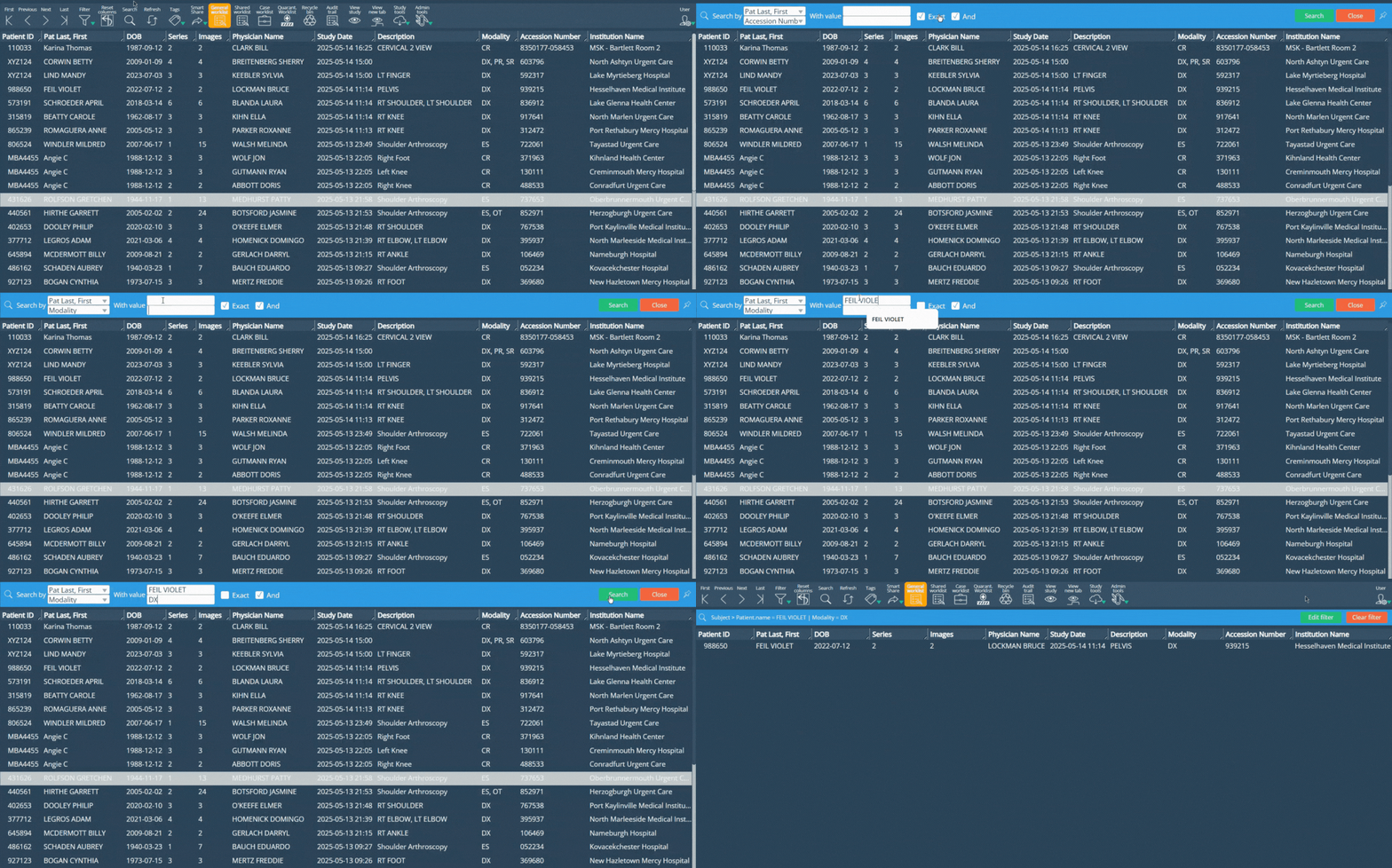
Dual Search Functionality
A new dual-search capability has been implemented in the search bar. Users can now search using two independent fields, with the option to leave the second field empty. This improves flexibility when searching for studies or patients.
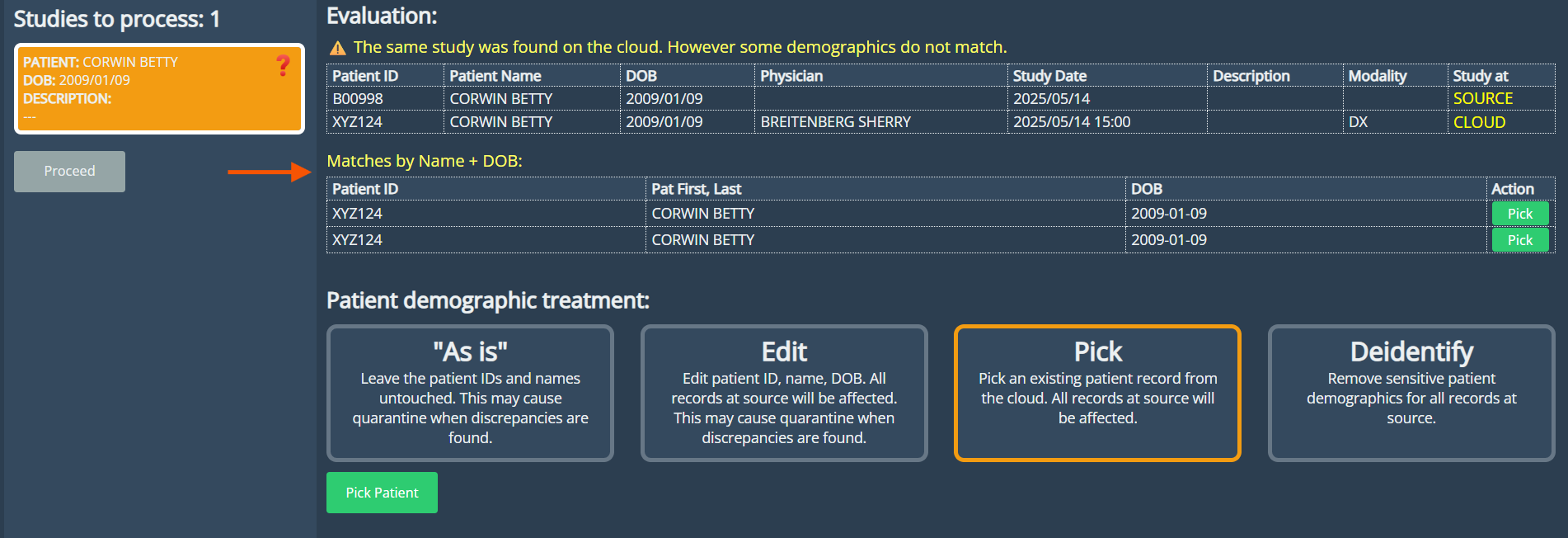
Enhanced Patient Matching in Upload DICOM
The patient detection feature in the Upload DICOM view has been enhanced to support dual matching criteria. The system now identifies related patients by both Patient ID and Name + Date of Birth (DOB), displaying results in two separated lists. Duplicate entries are prevented, ensuring accurate and transparent patient matching.
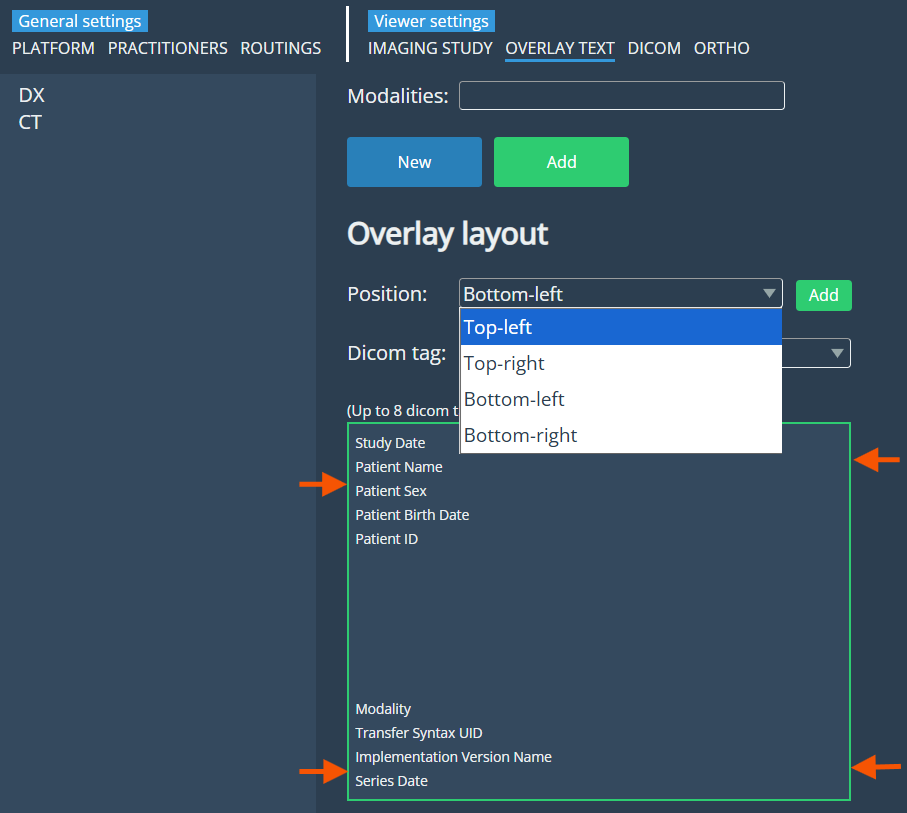
Overlay Text Expansion
The overlay text feature has been enhanced to support all four corners of the viewport, allowing up to eight lines per corner. This provides more flexibility for displaying important information without cluttering the image.
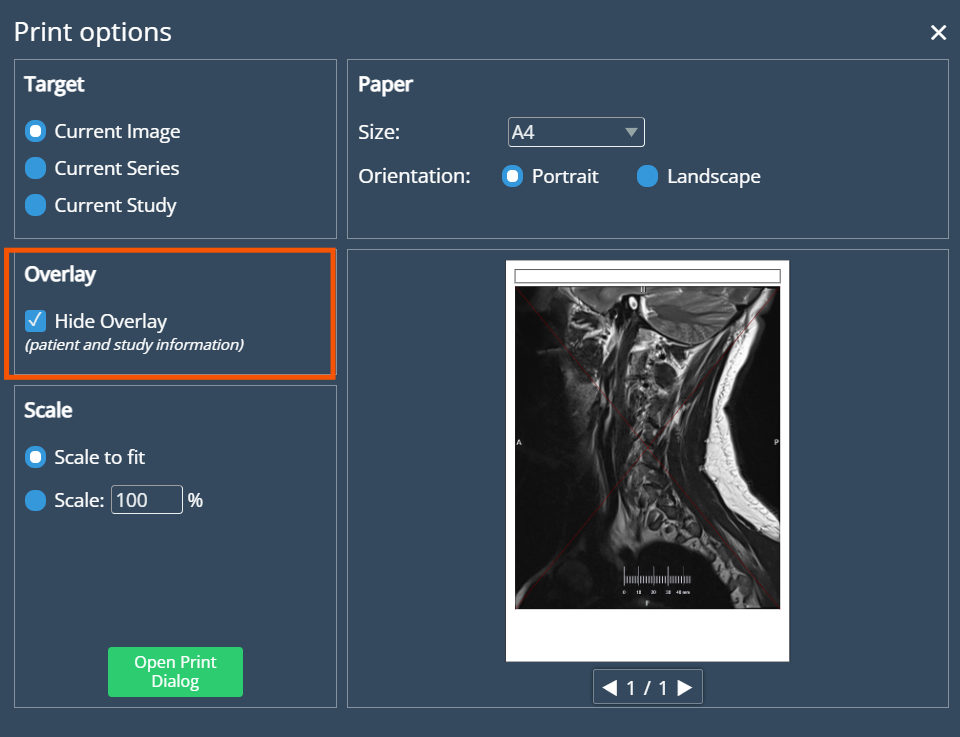
Quick Print – Overlay Visibility Option
A new checkbox has been added to Quick Print settings, allowing users to hide overlay text when printing. This gives users control over the amount of detail shown in printed outputs.
Scale Ruler in viewport
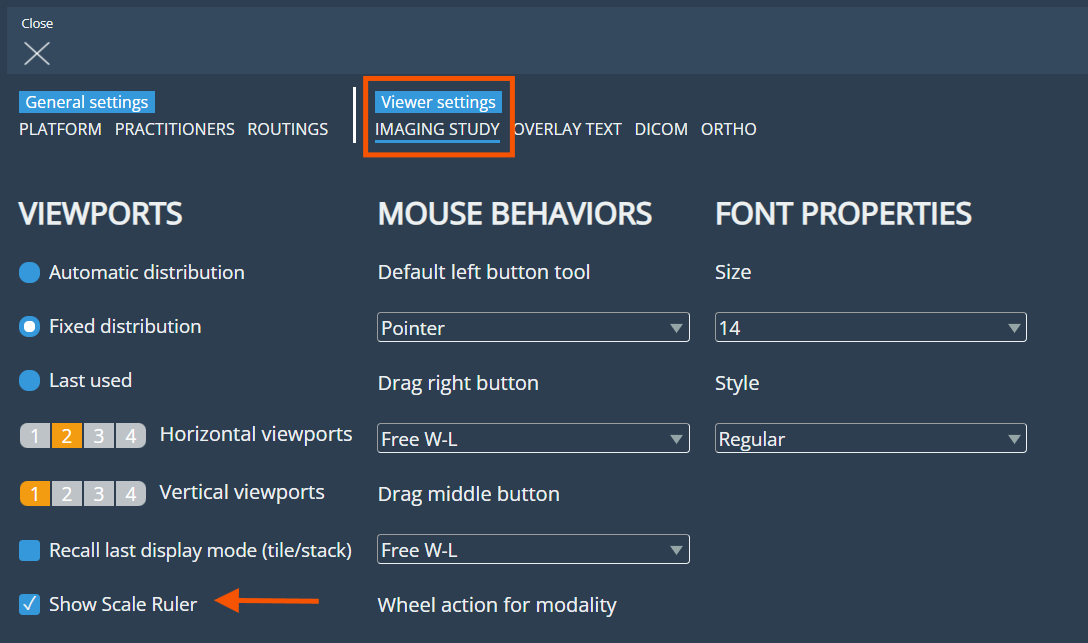
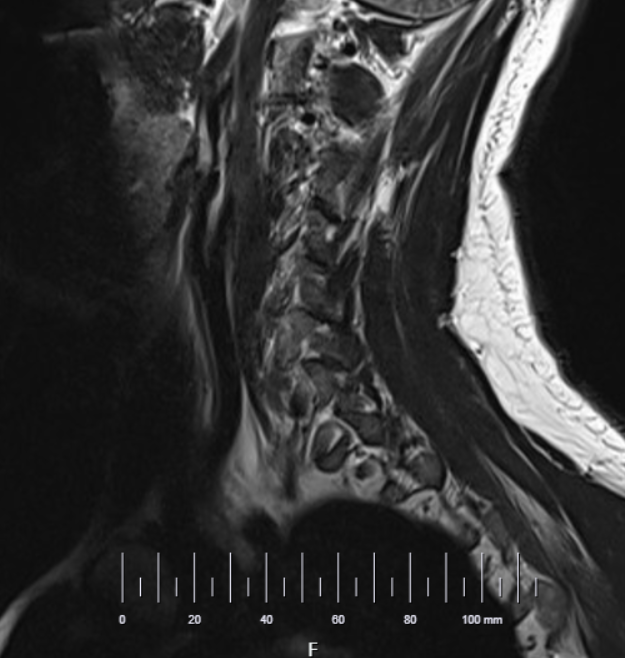
Users can now enable a scale ruler from the Imaging Study settings to display it at the bottom of the viewport, offering a clear visual guide for accurate image measurements.
Imaging study settings:
Scale ruler enabled in viewport:
Enhanced Patient ID Management
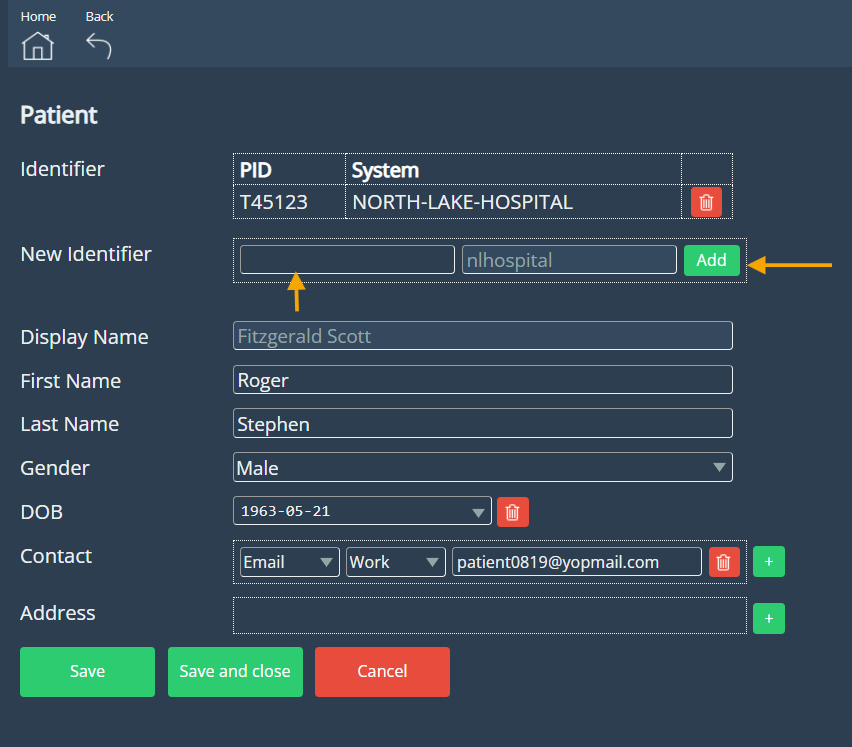
Patient ID management has been implemented within the Edit Study view in Admin Tools. Administrators can now add or remove patient identifiers associated with each study, enabling faster and more accurate updates to patient information.
Bug Fixes
Window/Level Reset on Quick Compare: window/level settings were being reset when switching between Quick Compare or changing viewports. The image now retains its display parameters as expected.
Quick Print – Oversized Text: Fixed a problem where overlay text appeared oversized in certain images during Quick Print. The text now scales properly according to image resolution and print size.
Deprecations
Offline Mode Removal
The Offline Mode feature, which allowed users to access cached data when an internet connection was unavailable, has been removed. This change will enable the development of an improved and more reliable solution for offline access in future releases.
Known Issues
None
Upcoming Features
Dektop eVue
We’re introducing Desktop eVue, a new desktop application designed to support both Offline and Hybrid modes. This version delivers significant improvements in performance, reliability, and overall user experience. With Desktop eVue, users can continue working seamlessly even without an internet connection, and enjoy faster data access, smoother workflows, and enhanced stability when viewing and managing images.
Thank you for being a valued user of Efferent. We hope these updates enhance your experience. For any questions or feedback, please contact our support team at support@efferenthealth.com .